Are you looking to take your video editing skills to the next level, all from the convenience of your smartphone? With the right tools and techniques, you can create professional-looking videos right from the palm of your hand. In this article, we will provide you with some handy tips to help you master video editing on your smartphone like a pro.
Getting Started
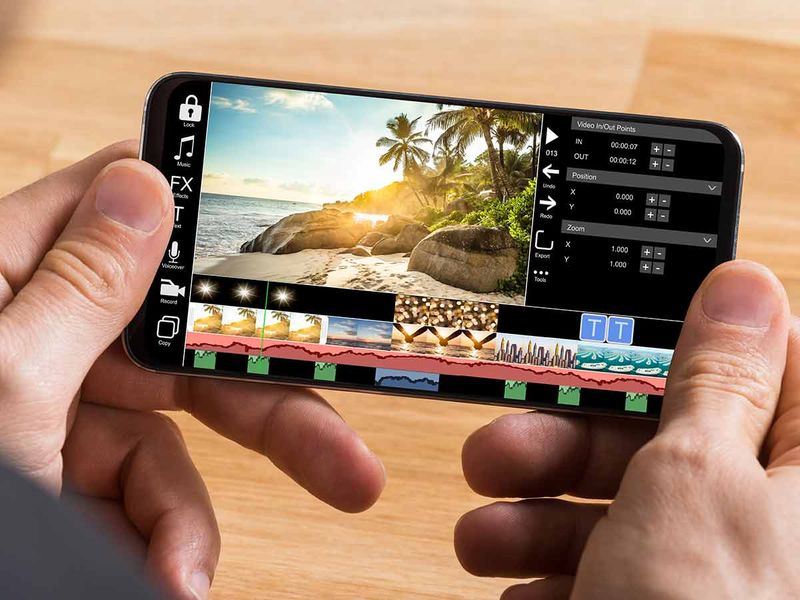
The first step in mastering video editing on your smartphone is to choose the right editing app. There are plenty of options available, ranging from simple beginner-friendly apps to more advanced editing suites. Popular choices include iMovie for iOS and FilmoraGo for Android. Once you have selected your preferred app, take some time to familiarize yourself with its features and capabilities.
Organize Your Footage
Before you start editing, it is essential to organize your footage. Create folders for different projects, and within each project folder, sort your clips into categories such as b-roll, interviews, and sound bites. This will make it easier to find the footage you need when you are ready to start editing.
Learn the Basics
To master video editing on your smartphone, you need to understand the basics of editing. Learn about essential techniques such as trimming, cutting, and adding transitions. Experiment with different effects and filters to see how they can enhance your footage. Remember, practice makes perfect, so don't be afraid to try new things and make mistakes along the way.
Use Templates and Presets
Many editing apps come with pre-designed templates and presets that can help you achieve professional-looking results with minimal effort. Experiment with different templates to see which ones work best for your project. You can also create your presets for effects that you use frequently to streamline your editing process.
Add Music and Sound Effects
Adding music and sound effects to your videos can help set the mood and enhance the viewing experience. Choose music that complements the tone of your video and use sound effects to add depth and dimension. Make sure to adjust the volume levels carefully to ensure that the audio does not overpower the visuals.
Collaborate and Seek Feedback
Don't be afraid to collaborate with other creatives and seek feedback on your work. Share your videos with friends, family, or online communities to get constructive criticism and suggestions for improvement. Constructive feedback can help you identify areas where you can grow and develop your skills further.
Practice Makes Perfect
The key to mastering video editing on your smartphone is practice. The more you edit, the more comfortable you will become with the tools and techniques available to you. Experiment with different editing styles and genres to find what works best for you. Remember, every video you create is an opportunity to learn and improve.
In conclusion, mastering video editing on your smartphone is a rewarding and fulfilling endeavor. By following these tips and practicing regularly, you can enhance your skills and create professional-quality videos that will impress your audience. So, grab your smartphone, choose your editing app, and start creating amazing videos today!