Are you planning to upgrade to a new smartphone but worried about transferring all your data? Fear not! In this article, we will guide you through the process of transferring data from your old phone to your shiny new one seamlessly. Let's dive in!
Things to Consider Before Transferring Data
Before you begin the transfer process, there are a few important things to consider:
1. Check Compatibility: Ensure that both your old and new smartphones are compatible with the transfer method you choose.
2. Backup Your Data: It's always a good idea to backup your data before initiating the transfer process to avoid any loss of information.
3. Ensure Sufficient Storage: Make sure that your new device has enough storage space to accommodate all the data from your old phone.
Methods to Transfer Data
There are several ways to transfer data from your old smartphone to your new one. Here are some common methods:
1. Using Cloud Services: Cloud services like Google Drive, iCloud, or Dropbox allow you to easily backup and restore your data on your new device.
2. Using a Computer: Connect both your old and new smartphones to a computer using a USB cable and transfer data manually.
3. Using Built-in Transfer Tools: Many smartphone manufacturers provide built-in tools to assist with data transfer. Check if your devices have this feature.
Step-by-Step Guide to Transfer Data
Now, let's walk through the step-by-step process of transferring data from your old smartphone to your new one:
1. Backup Your Data: Start by backing up all your data on the old device using the method of your choice (cloud services, computer, etc.).
2. Connect Your Devices: Connect both your old and new smartphones to a power source and ensure a stable internet connection.
3. Initiate Transfer: Open the data transfer tool on both devices and follow the on-screen instructions to begin the transfer process.
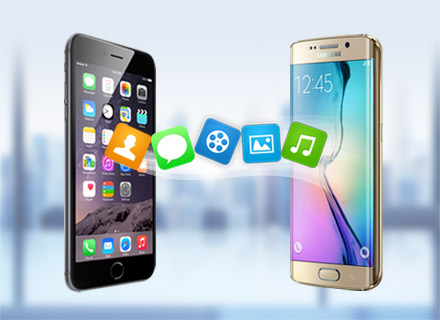
4. Select Data: Choose the type of data you want to transfer, such as contacts, messages, photos, videos, etc.
5. Start Transfer: Once you have selected the data, initiate the transfer process and wait for it to complete.
6. Verify Data: After the transfer is complete, double-check to ensure that all your data has been successfully transferred to your new smartphone.
Conclusion
Transferring data from your old smartphone to your new one doesn't have to be a daunting task. By following the steps outlined in this article, you can seamlessly transfer all your data and continue using your new device without missing a beat. So, go ahead and make the switch with confidence!