Are you constantly running out of storage space on your phone? Don't worry, we've got you covered. In this article, we'll share some simple yet effective ways to instantly free up space on your phone so that you can continue snapping photos, downloading apps, and enjoying all the features your device has to offer without any storage limitations.
Delete Unnecessary Files and Apps
One of the easiest ways to free up space on your phone is to simply delete files and apps that you no longer need. Take a few minutes to go through your photos, videos, and downloaded apps to see what you can delete. Chances are, there are plenty of files and apps that are just taking up space and serving no real purpose.
Clear Cache Data
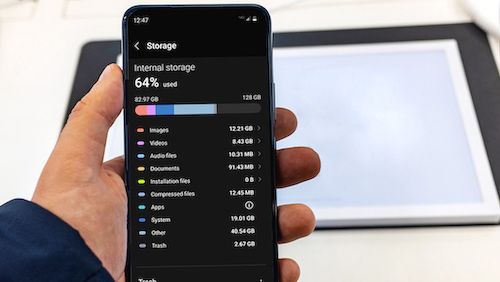
Your phone's cache data can quickly build up over time and take up a significant amount of storage space. By clearing your cache data, you can free up space on your phone and improve its performance. Simply go to your phone's settings, find the storage section, and clear the cache data for any apps that are using up a lot of space.
Move Files to Cloud Storage
If you have a lot of large files taking up space on your phone, consider moving them to cloud storage. Services like Google Drive, Dropbox, and iCloud offer free storage options where you can store files and access them from any device. This way, you can free up space on your phone without having to delete any important files.
Use a Storage Cleaning App
There are plenty of storage cleaning apps available for both Android and iOS devices that can help you quickly identify and delete unnecessary files. These apps can also help you clear cache data, manage your storage settings, and optimize your phone's performance. Consider downloading a storage cleaning app to help you free up space on your phone effortlessly.
Remove Unused Downloads
If you tend to download files, images, or documents on your phone and then forget about them, it's time to go through your downloads and remove the ones you no longer need. Oftentimes, these downloaded files can accumulate and take up a significant amount of space on your phone.
Check for Large Attachments
Do you have a habit of saving email attachments, images, or videos on your phone? These files can quickly add up and eat into your device's storage. Take a look at your email attachments and delete any large files that you no longer need. You'll be surprised at how much space you can free up by doing this simple task.
Organize Your Photos and Videos
If you're someone who loves taking photos and videos on your phone, it's essential to regularly organize and delete any duplicates or unnecessary shots. By going through your camera roll and deleting unwanted photos and videos, you can significantly free up space on your phone and make room for more memories.
In conclusion, freeing up space on your phone doesn't have to be a daunting task. By following these simple tips and tricks, you can quickly and efficiently free up space on your phone and continue using it to its full potential. So, what are you waiting for? Start decluttering your phone today and enjoy the benefits of a clean and spacious device!